Host an Account#
Overview#
The account hosting feature allows you to securely bind platform account information to a designated browser environment, managed centrally through ClonBrowser.
This feature is useful if you are facing any of the following:
- Operating multiple accounts and need centralized management of login information
- Team members need to collaborate on accounts but you don’t want to share passwords directly
- Want accounts to remain controllable within the system even when team members change
With account hosting, account information no longer relies on manual transfer — it forms a stable binding with the browser environment, reducing human risk and improving overall management efficiency.
Step-by-step Instructions#
1. Click the 「Host」 Button#
Go to 「Browser Environment Management」, find the browser environment where you want to host an account, hover over the account position, and click the 「Host」 button.

2. Enter Account Information#
In the add account popup, select the platform to host. If you can’t find the platform, choose 「Custom」, then fill in the account information and save.

3. Access the Hosted Account#
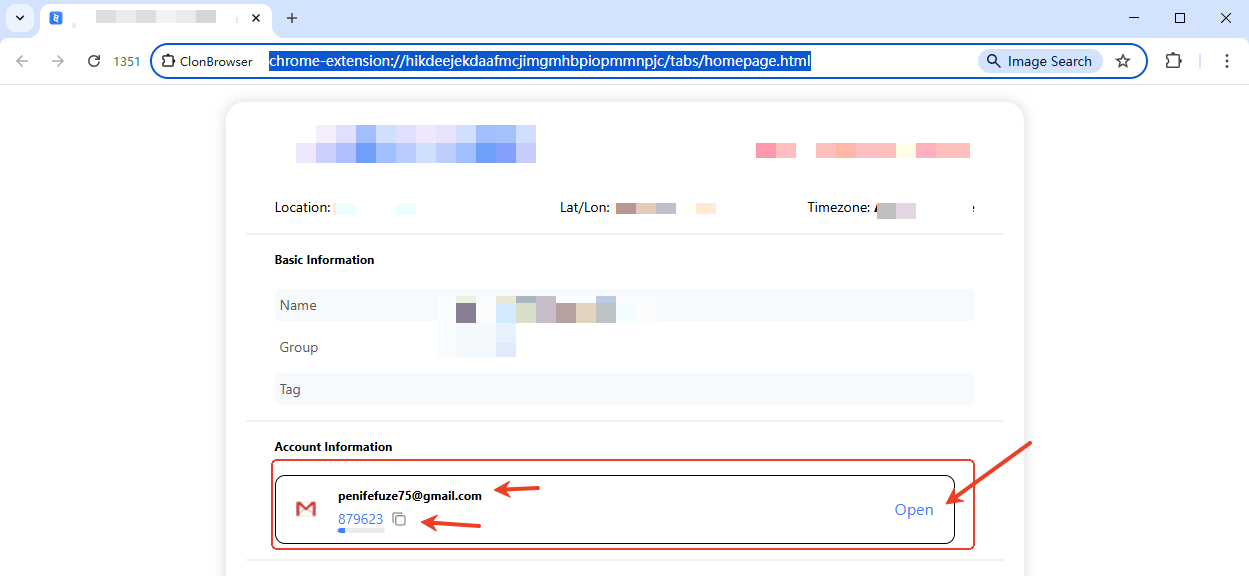
After hosting is successful, launch the browser and you will see the hosted account. When you click to access, the hosted credentials will be automatically filled in.
FAQ#
1. After hosting the account, do I still need to send the password to team members? No. Team members only need to be authorized to use the corresponding browser environment — they don’t need the account password.
2. Can one browser environment host multiple accounts? Not recommended. One browser environment hosting one account is the best management practice, facilitating team management and future group control.
3. Do I need to re-host accounts when team members change? No. Simply adjust the environment usage permissions — the account itself doesn’t need to change.
4. Does account hosting affect existing login status? No. Account hosting only manages account information — it doesn’t change how the account itself works.