How to switch teams#
In ClonBrowser, one account can join multiple teams.
By switching teams, you can freely switch between different workspaces without affecting each other.
1. Open the Team Switch Entry#
After logging into ClonBrowser, click the current team name in the top-right corner, then click “Team”.
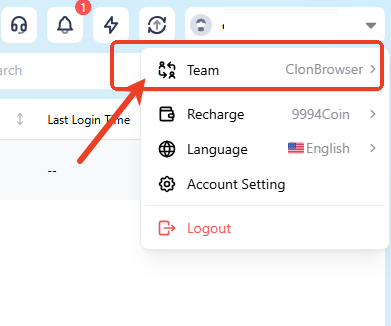
2. Select the Target Team#
In the team list popup, you can see the current team and other teams you’ve joined.
Click the name of the team you want to enter.
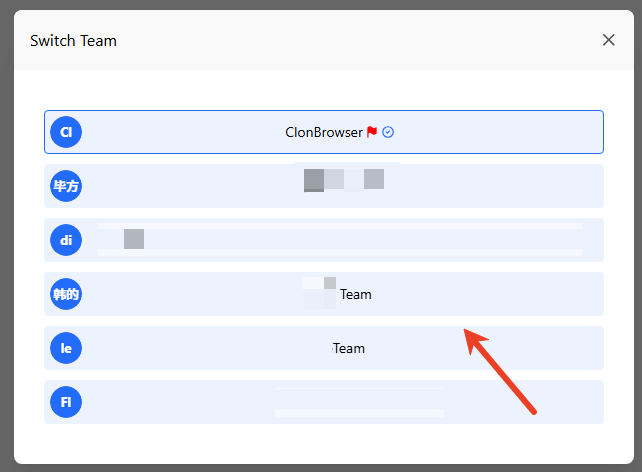
After switching:
- The browser environment list will refresh
- The browser environments under that team will be displayed
- Member and permission structures will switch accordingly
FAQ#
1. Are the original browser environments still there after switching teams? Yes. Browser environments for different teams are independent.
2. Will switching teams affect account hosting information? No. Account hosting belongs to specific browser environments and switches with the team workspace.
3. Why can’t I see a certain team? Please confirm:
- You have accepted the invitation to that team
- Your current account is a member of that team
4. Can I operate two teams at the same time? No. To operate another team, you need to switch first.