How to install ClonBrowser on Mac#
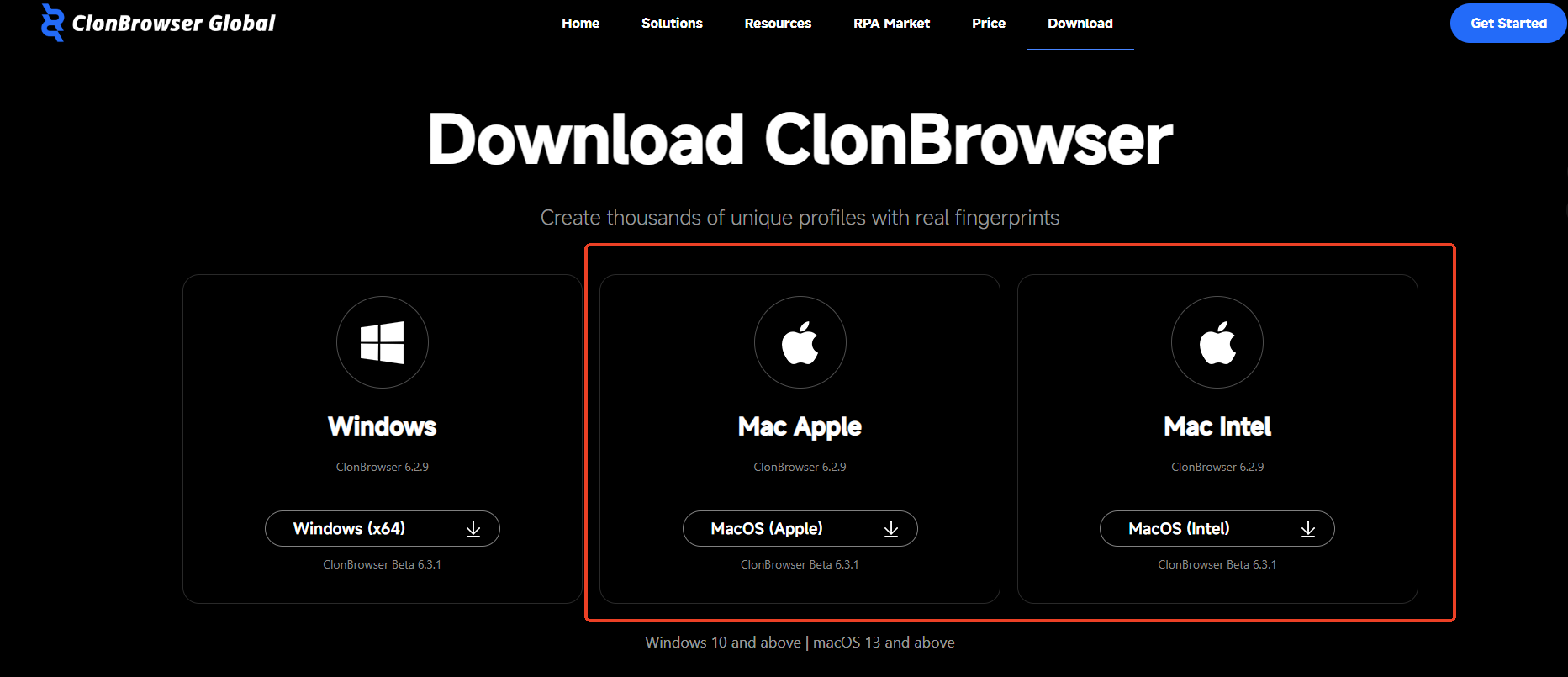
1. Download the Installer#
Go to the ClonBrowser download page
Select the Mac version installer to download.
2. Open the Installer and Install#
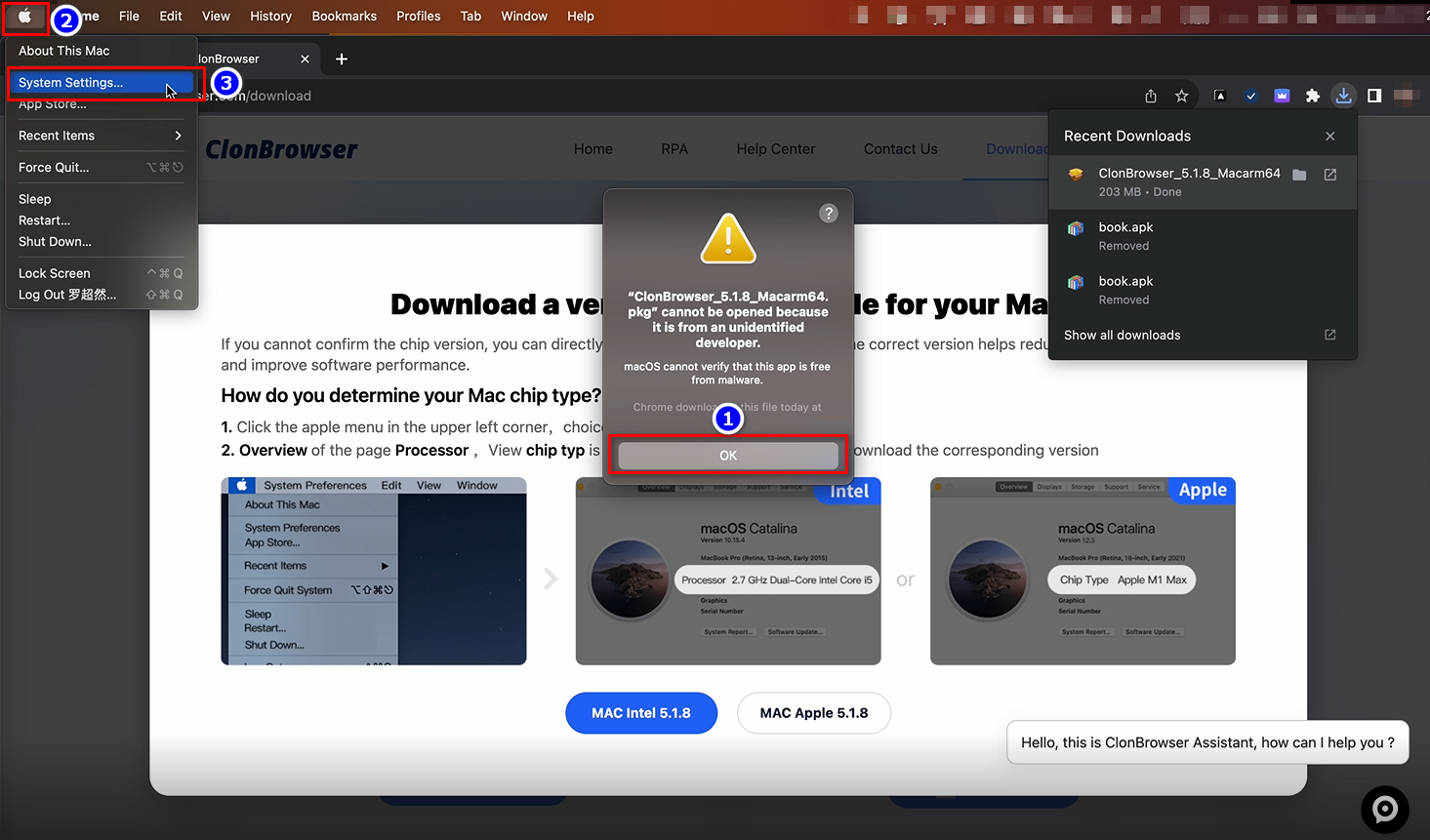
Open the installer after downloading. The Mac system will prompt that the application cannot be installed. You will need to open 【System Settings】.
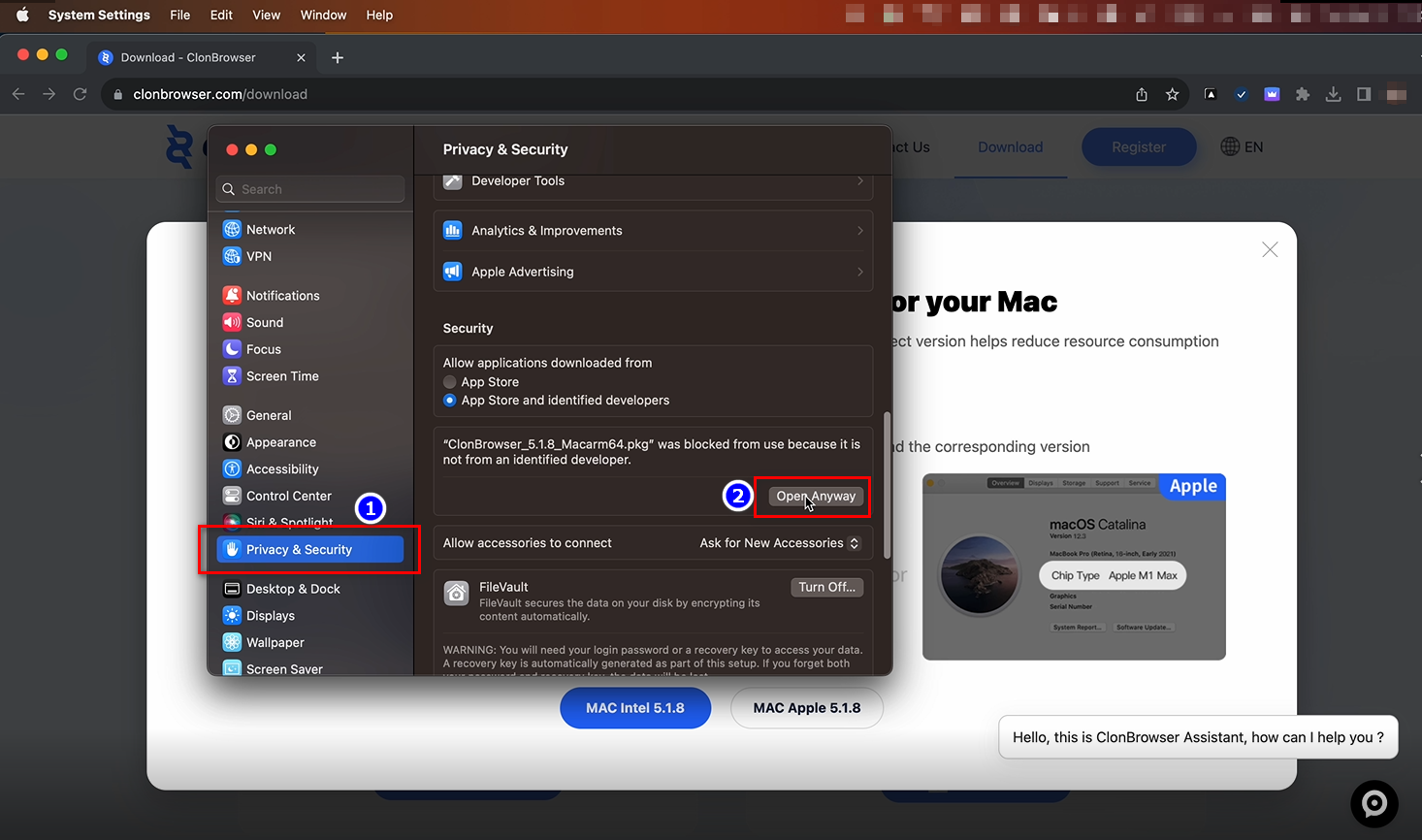
Click 【Privacy & Security】, scroll to the bottom and select 【Open Anyway】.
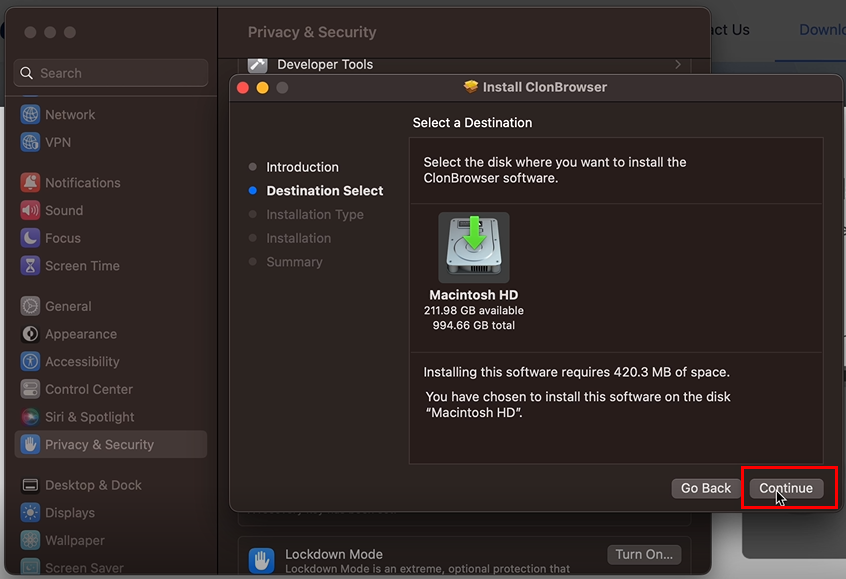
Follow the installation steps and grant the necessary permissions for automatic installation.
3. Launch the Application#
Open the 「Applications」 folder, find ClonBrowser, and double-click to launch.
If a security prompt appears:
- Click “Open”
- Or allow the application to run in 「System Settings → Privacy & Security」
FAQ#
1. Can’t open the app — “Developer cannot be verified”? Go to 「System Settings → Privacy & Security」, find the corresponding prompt, and click “Open Anyway”.
2. Can’t launch after dragging to Applications? Please make sure you’ve completely dragged it into the Applications directory, then reopen.
3. Do I need to install other dependencies? No. ClonBrowser is a standalone client — just install and use.
4. Can I install multiple versions? Not recommended. Keep a single version to avoid data conflicts.
If you still can’t install, please contact official customer support for assistance.