Proxy connection failed? Follow these steps to troubleshoot#
Proxy connection failures are usually not caused by a single issue. Most problems fall into these 4 areas — troubleshoot in order:
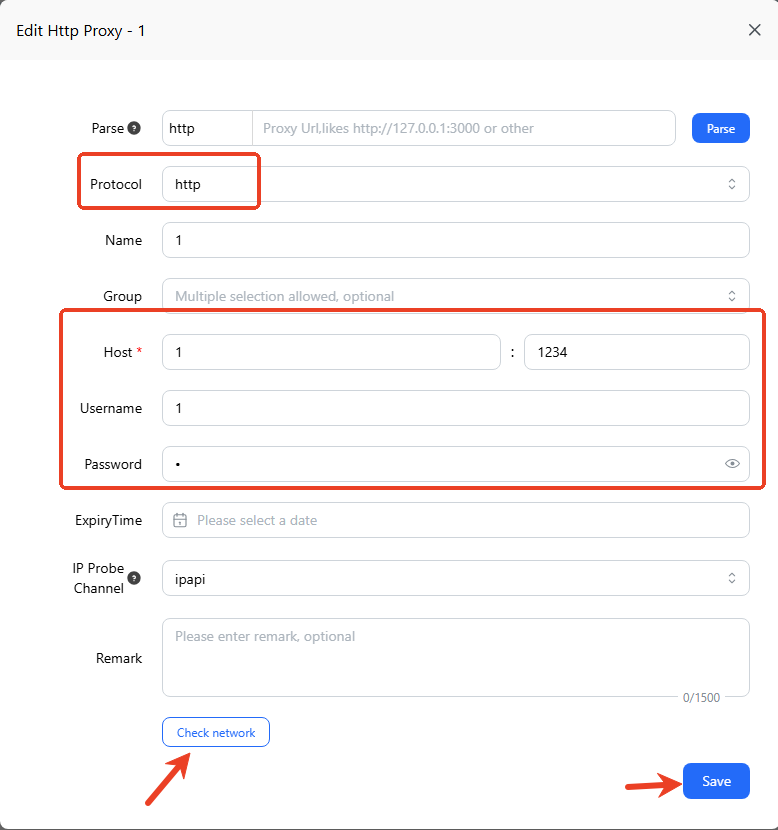
① Check if the proxy configuration is correct#
This is the most common source of issues. Please verify:
- Whether the proxy type matches (HTTP / HTTPS / SOCKS5)
- Whether IP and port are entered correctly (no spaces, no missing characters)
- Whether username and password are filled in correctly (no spaces, no missing characters)
- Whether the format meets requirements when importing in bulk
Configuration errors are the most common cause — check this first.
② Check your local network environment#
If the configuration is correct but still fails, check your current network:
- Whether you can access the target website normally
- Whether there are network restrictions (corporate/school network)
- Whether you are using a system proxy or network tool
👉 Tip: Try switching to a mobile hotspot to quickly determine if it’s a local network issue.
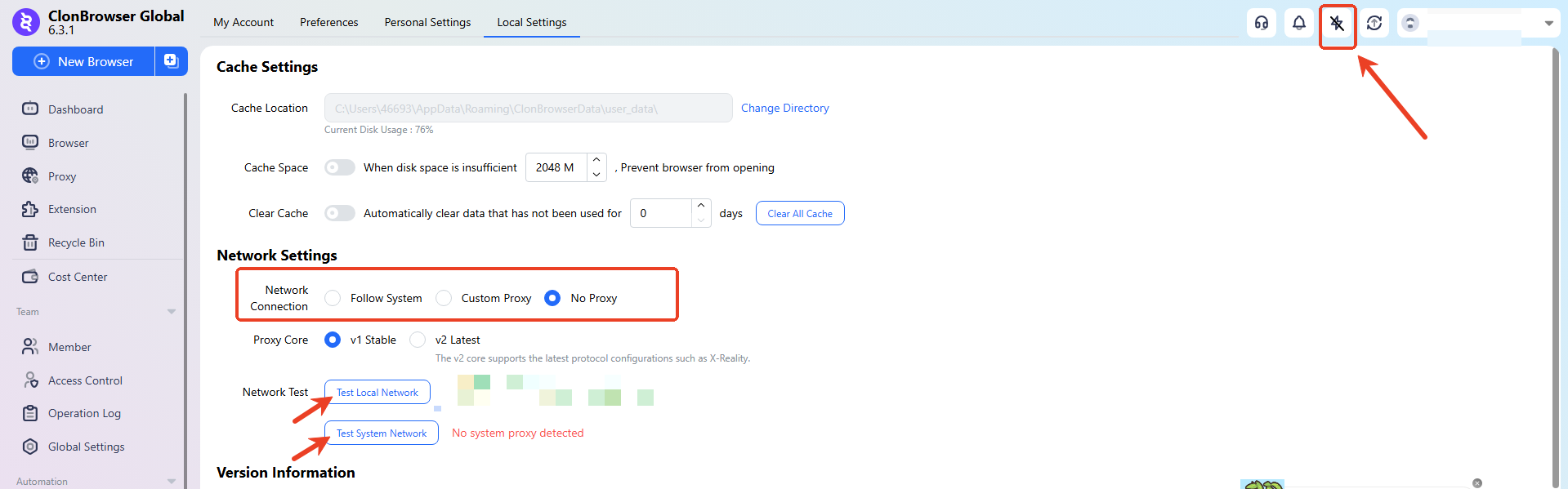
Use ClonBrowser’s built-in network detection feature to check local network and system network.
If no local proxy is set, the network connection should be set to “Do not use any proxy.”
If a local proxy is set, choose “Follow System” or “Custom Proxy” depending on the proxy situation.
③ Test if the proxy IP is available#
It’s recommended to verify outside of ClonBrowser:
- Test in a local browser: Manually configure the proxy in a regular browser like Chrome or Firefox, try accessing the target website, and see if it connects;
- Test using IP detection websites: Use professional detection tools like Whoer, BrowserLeaks, etc., to verify if the proxy connects.
If the proxy also doesn’t work in other environments, it means: the proxy itself has expired or is unavailable — contact your proxy provider.
④ Check local software or system restrictions#
If the proxy itself is fine but ClonBrowser can’t connect, check the following one by one:
- Firewall or antivirus software, security managers, firewalls blocking — add ClonBrowser to the whitelist
- Network tools not properly enabled (no global proxy), whether the system proxy is active
- Local port occupied or restricted
👉 Tip: Temporarily disable security software or switch to a different network environment for testing.
If the above steps still don’t resolve the issue
Please provide the following information when contacting customer support:
- Client version
- Proxy configuration screenshot
- Proxy external test results
- Error message screenshot
This helps locate the issue faster.