How to invite members to join a team#
Overview#
The invite member feature allows you to add new members to the current team for collaborative multi-account management.
This feature is useful if you are facing any of the following:
- Need multiple people to collaborate on account management
- Need to assign different account environments to operations, advertising, and customer service roles
- Want accounts to remain controllable even when team members change
- Don’t want account passwords circulating within the team
By inviting members to join the team, you can achieve account environment sharing + controllable permissions + independent member login.
Step-by-step Instructions#
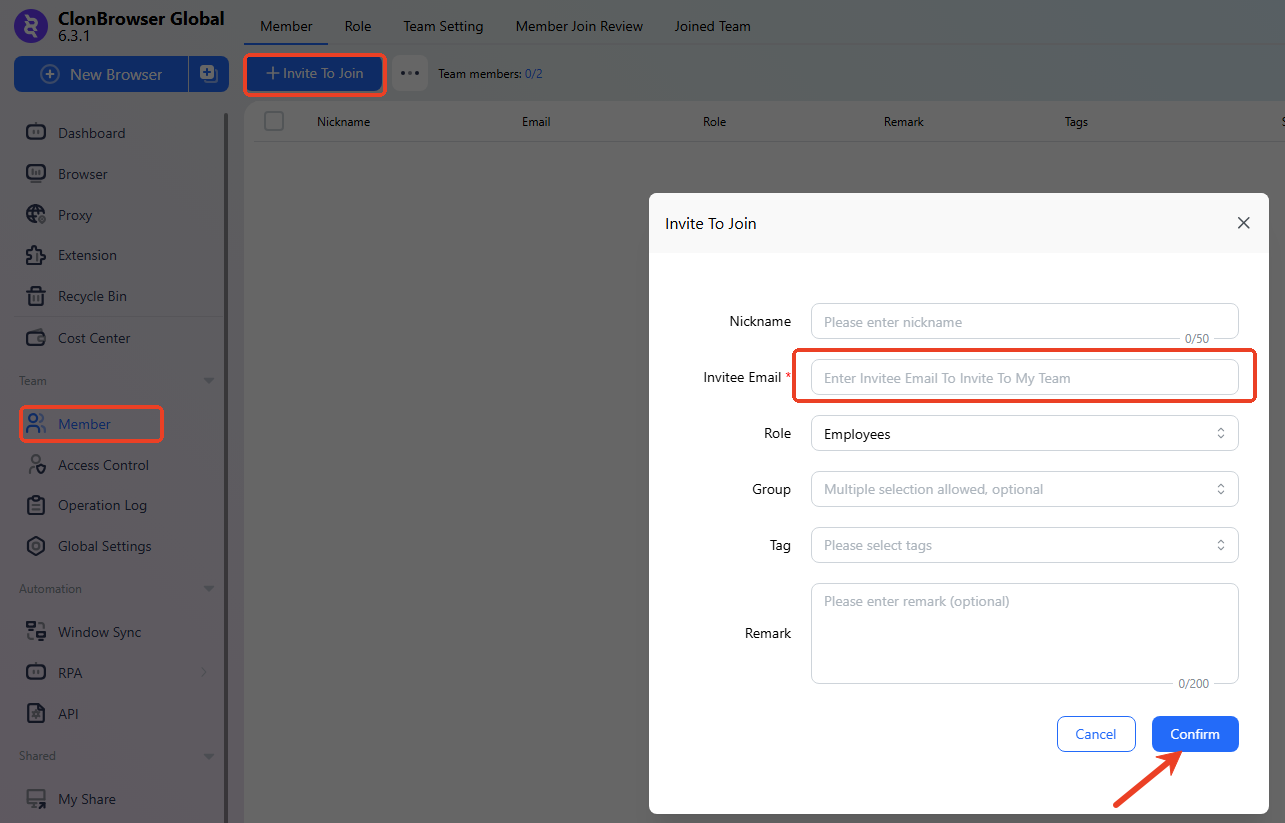
1. Click “Invite Member”#
On the team members page, click the “Invite Member” button.
Enter the account information of the member you want to invite (registered email or username) and confirm sending the invitation.
2. Member Accepts Invitation#
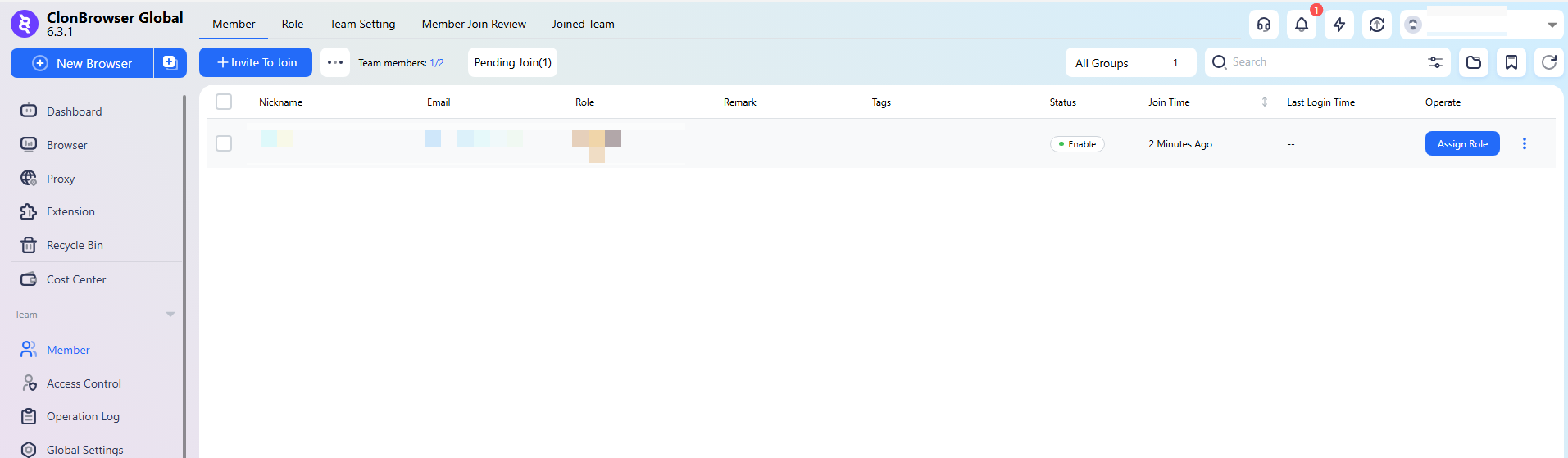
After logging into their own ClonBrowser account, the invited member accepts the invitation in notifications or the team list.
After accepting, they officially join the team.
3. Assign Browser Environments and Permissions#
After the member joins the team, you still need to:
- Assign browser environments they can use
- Set corresponding permission roles
Otherwise, the member cannot operate specific account environments.
👉 Reference: How to assign browsers to members
FAQ#
1. Does the invited member need to register an account first? Yes. Members need to register a ClonBrowser account before they can join a team.
2. Can members see all browser environments after joining? Not necessarily. Only browser environments they are granted permission to use will be visible.
3. How to handle it when a member leaves? You can remove the member in team management or revoke their browser environment permissions. The accounts themselves are not affected.
4. Is there a limit on the number of team members? The specific limit depends on your current subscription plan. Please check your plan for the maximum.